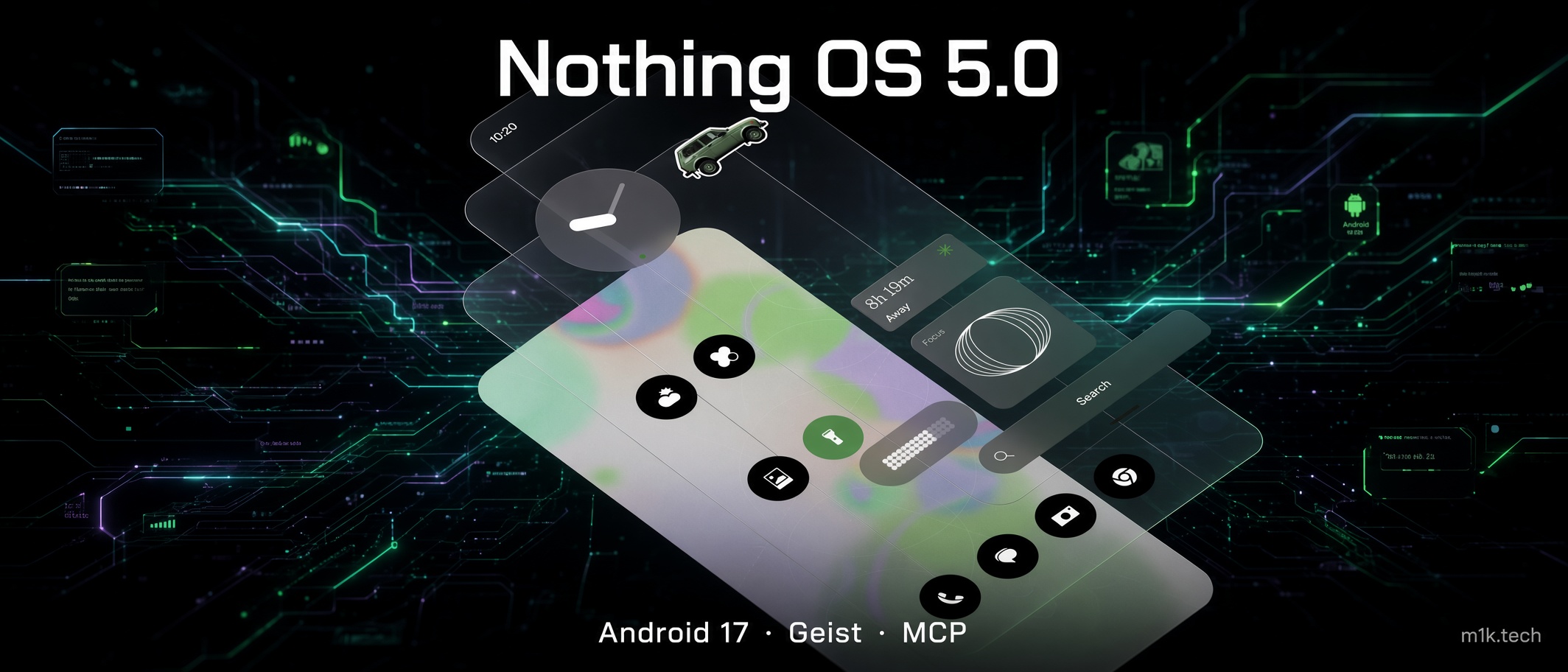
The redesigned Launcher is not in the Nothing OS 5.0 open beta. Neither is the Micrographics clock face. Nothing lists both as still under development and says they arrive with the general release from October, which means the build landing on Phone (3) tomorrow at 11:00 BST is Android 17 plumbing, a new system font and a color engine, with the part everyone screenshotted this morning held back another seven weeks.
Betas are betas, and I would rather Nothing hold a launcher back than ship the thing that broke in December. It does change what is being tested, though. Nothing published two separate community posts today: one walking through the features and one making the case for why the design system needed rebuilding rather than re-theming, and the second is the more revealing document. I daily-drive a Phone (3), so I have skin in this.
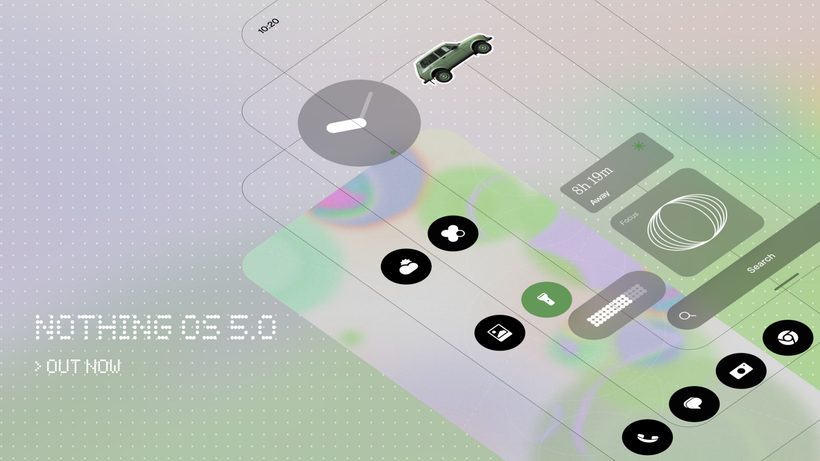
The font, the frost, and the color engine
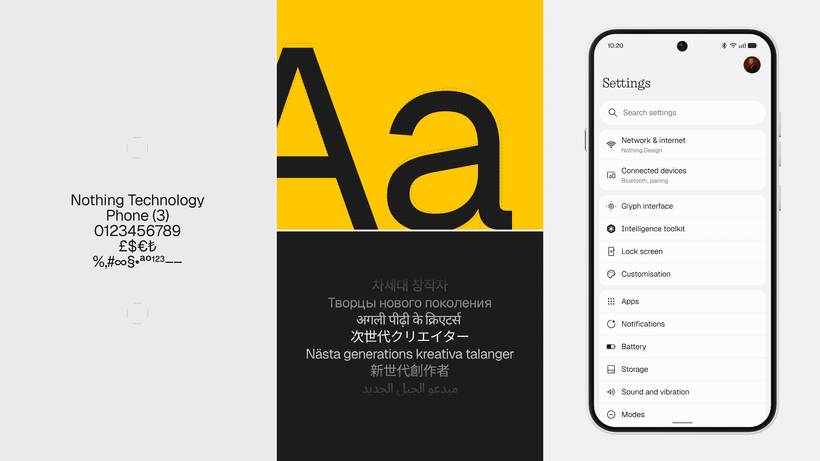
Geist becomes the system typeface, and the dot-matrix language that has been Nothing’s loudest software signature since 2022 gets demoted to accent duty. Nothing’s own phrasing is that the dot matrix should define character rather than compromise readability, which is a diplomatic way of conceding that it was a nightmare in a list of Wi-Fi network names. I liked it as an identity and resented it in Settings, so I won’t pretend to mourn.
The reason Nothing gives for Geist specifically is Playground, where Geist Mono is already part of the visual language. Here is the bit I cannot resolve: Geist and Geist Mono are also the names of Vercel’s open-source type family, and I have not seen Nothing confirm whether this is a license, a fork, or two design teams landing on the same German noun. Somebody with a press contact should ask, because it is a genuinely interesting question about how a hardware company sources its identity.
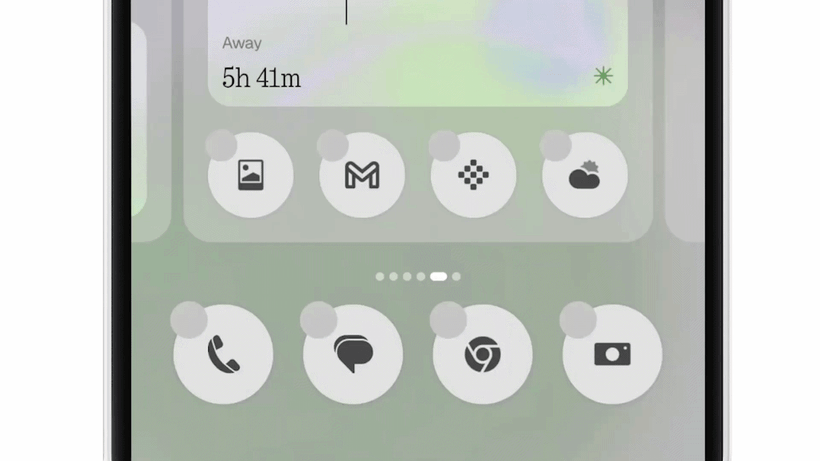
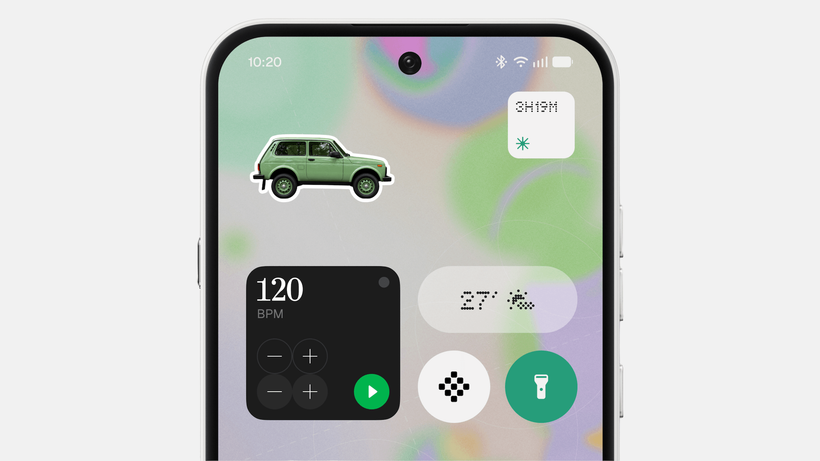
More consequential than the font is what Nothing calls a new software material: transparency combined with a subtle frosted effect, replacing what had been a flat rendering of that idea through graphics and color. For a company whose entire hardware language is exposed screws and visible ribbon cable, moving transparency into the compositor is overdue, not surprising. The stated purpose is hierarchy, letting depth and contrast pull your eye to what matters when a screen is holding a lot at once.
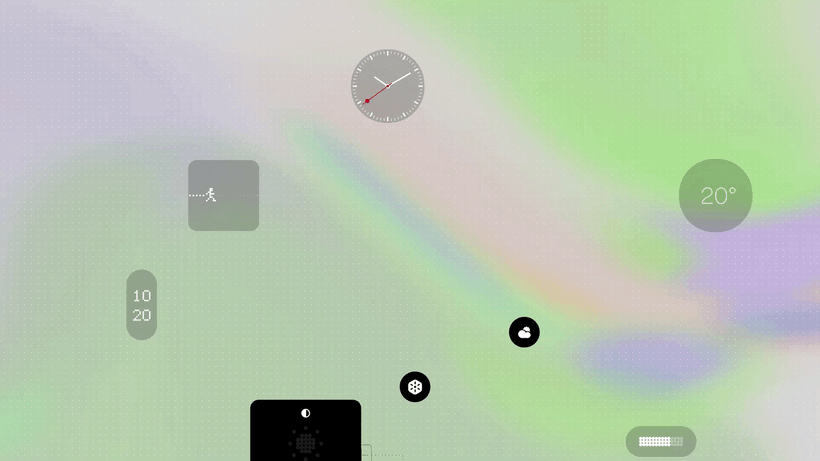
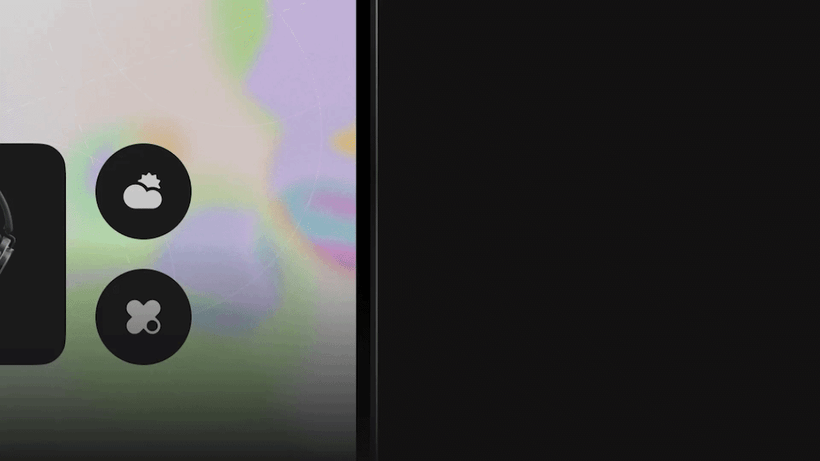
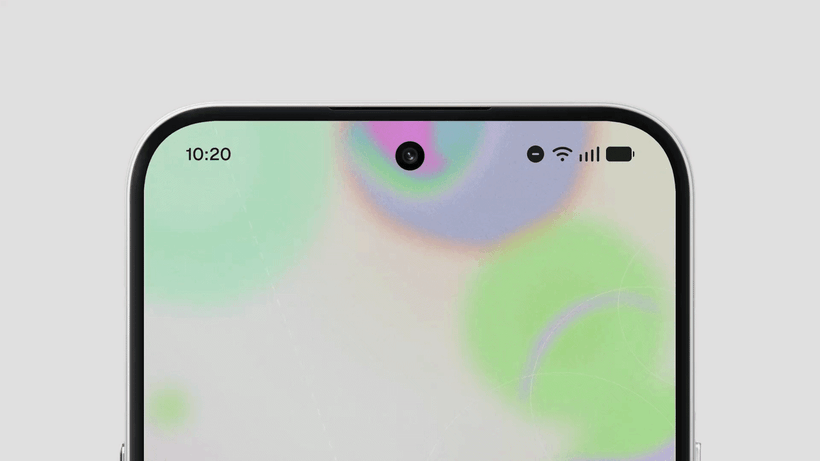
The color engine sits alongside the Classic theme and Android’s own Dynamic Colors rather than replacing either. It pulls from your wallpaper and carries those colors through app icons as subtle tints, through widgets, and most aggressively through 1×1 Quick Settings widgets, which take their color more prominently than anything else on the home screen. Clock faces can now draw from the wallpaper too. Nothing’s guardrail is that the predominantly monochrome character stays underneath, and the redesigned home screen ships as an additional theme rather than a replacement. That is the correct call, and it is also the tell: Nothing knows exactly how its user base feels about monochrome, and is not about to take it away by force.
Gooey, Micrographics, and the apps nobody screenshots
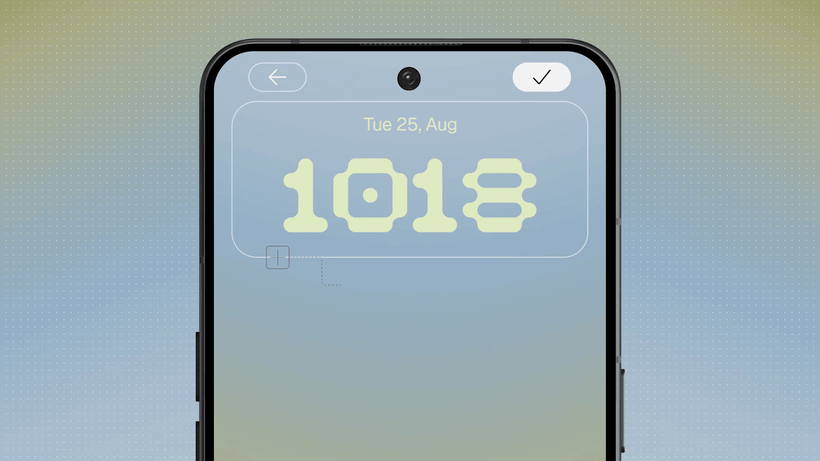
The lock screen gets two new clock faces and neither is a token addition. Gooey is the loud one, fluid shapes and a lot of personality, aimed squarely at people who change their wallpaper weekly. Micrographics is the one I want and the one I cannot have until October: it borrows the graphic language off Nothing’s hardware and pulls date, time, weather and your next meeting into a single glanceable face built on a mechanical-looking typographic style. Clock colours can be sampled from the wallpaper now as well. Depth Effect wallpaper also stops being take-it-or-leave-it, letting you reposition and scale the image around the clock and the rest of the lock screen furniture, and when the picture does not cover the full area, blur and translucency stretch it out to the edges instead of leaving you with an awkward gap.
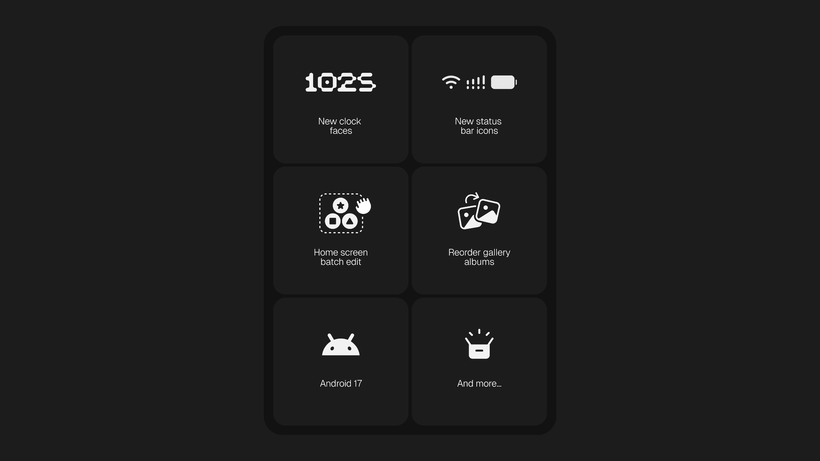
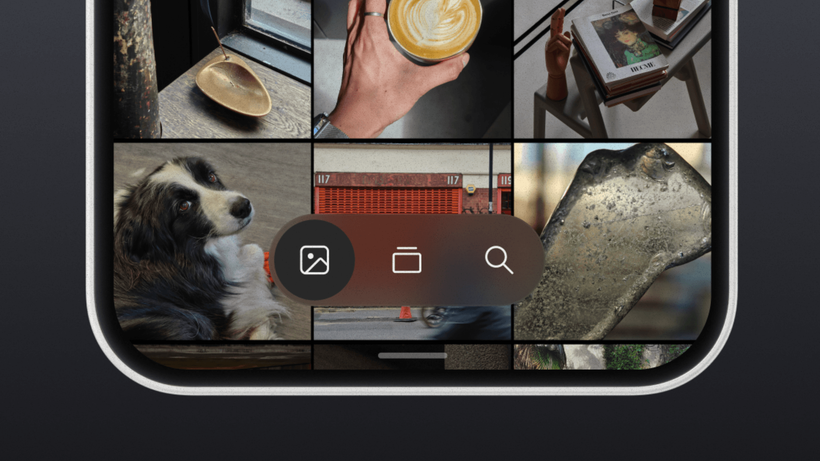
Gallery is where the unglamorous work went, and it is the change most likely to decide whether you keep Nothing’s app or quietly fall back to Google Photos. The main Photos view can finally be sorted by Recently added or by Captured date, with your choice remembered between sessions, which sounds trivial until you have imported a folder of old shots and watched a gallery scatter them across three years of timeline. Filters sit alongside that for All, Favourites, Edited, Photos, Videos and Screenshots, and the two combine, so screenshots sorted by capture date is one interaction rather than a scroll. The Albums page splits into a prominent tier for the albums you actually open and a smaller section underneath for everything else, with long-press and drag to reorder an album or move it between the two, plus an Edit mode for handling several at once. Transparent details turn up here too, which is how you can tell the new material is meant to be a system-wide layer rather than a launcher trick.
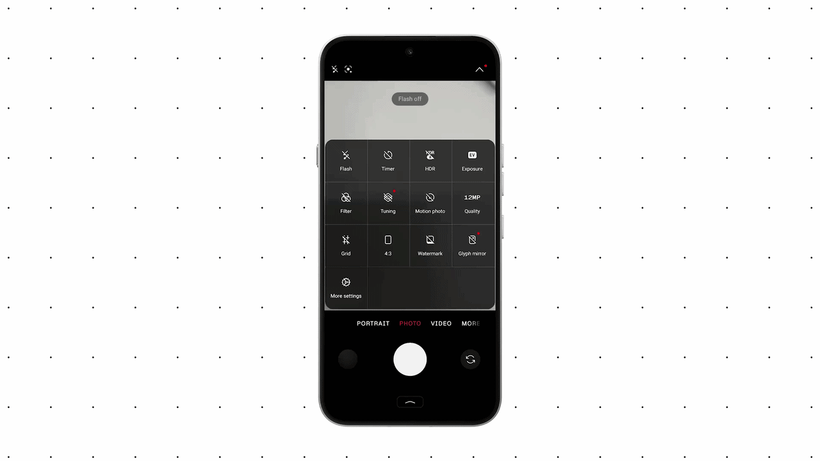
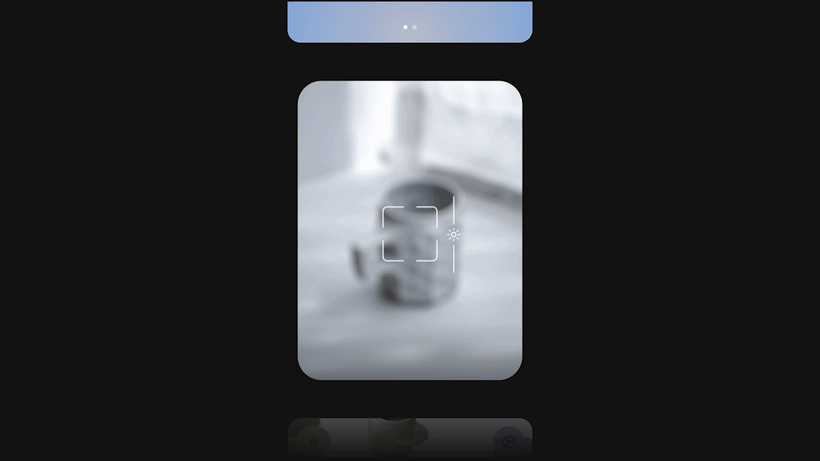
The Camera change I like most is almost invisible. When it recognises a QR code, the result now stays pinned in a fixed spot on screen instead of tracking the code as it wobbles in frame, so you get a stable target to tap and stop re-aiming the phone at a menu taped to a restaurant table. Beyond that it is updated icons, cleaner controls and better motion around the viewfinder. The status bar gets custom-drawn system icons with animations that fire as signal, Wi-Fi and battery states change, and Settings has been through the usual pass of new icons, revised spacing, softened corner shapes and more consistent grouping, with the categories people actually open promoted to their own entries. None of that will sell a phone, but it is precisely what people mean when they say a skin feels finished.
The Glyph finally gets its own app
Supported Glyph features, sounds, ringtones and schedules move out of Settings and into a dedicated app. I spend an unreasonable amount of time in those menus, between the custom cases I print for the Phone (3) and the Glyph tinkering that goes with them, and this is the change I will notice within the first hour. There is also a Glyph Timer widget that starts a countdown from the home screen and shows the remaining time on the back panel, which is exactly the sort of thing the Glyph should have been doing two versions ago.
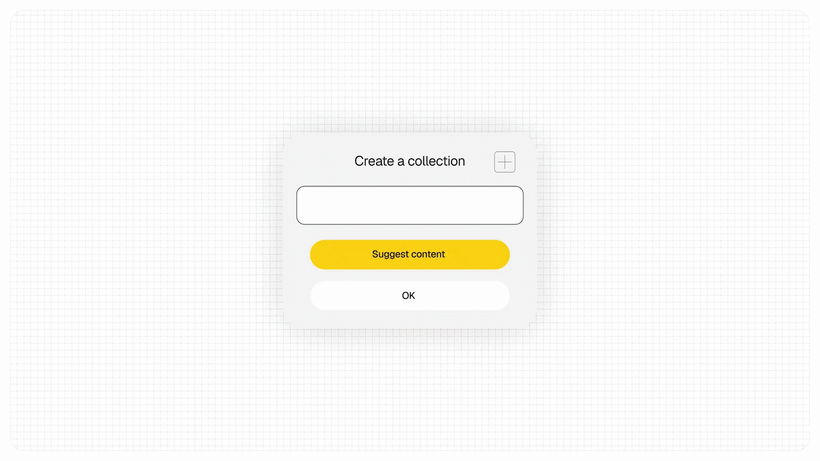
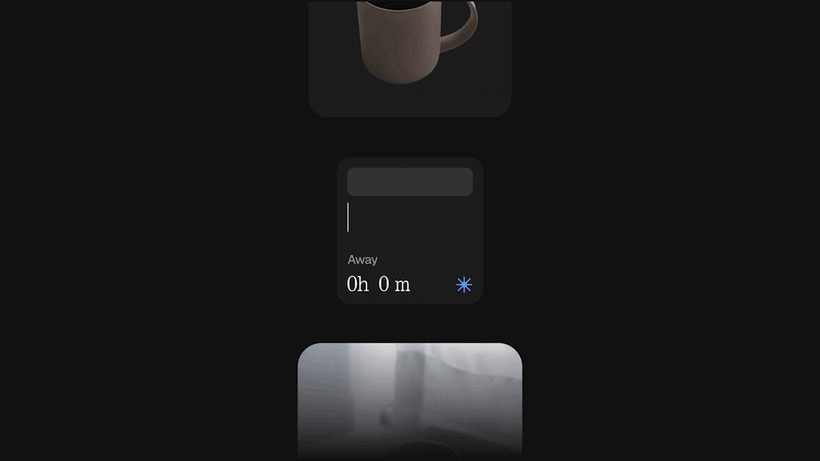
Two new widgets arrive with it. Collector turns camera captures, and Gallery picks into visual collections you display on the home and lock screens, pitched at people who photograph their sneakers or their coffee and watch those shots vanish into a camera roll. Away Time tracks the stretches when the phone is down, your longest break, and how the pattern moves week to week, deliberately without blocking anything or setting limits. Nothing is not trying to be a digital wellbeing enforcer here; it is just handing you a mirror, and I suspect that will either land beautifully or get uninstalled on day two.
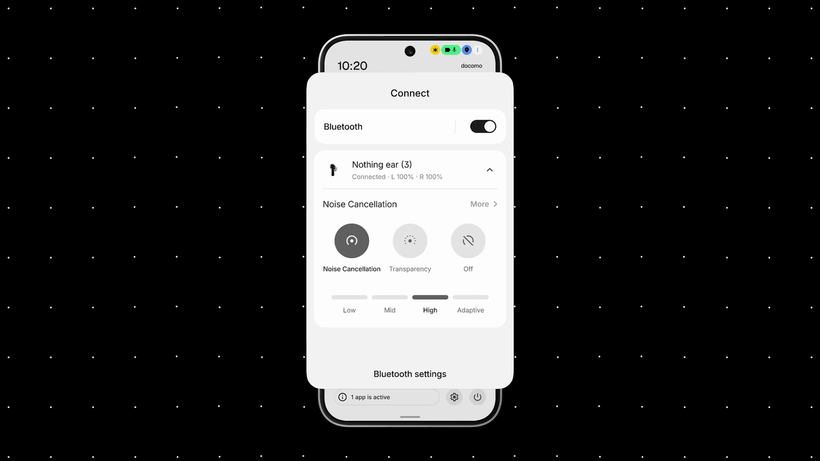
The least glamorous item in the entire announcement is home screen batch editing: select multiple icons and widgets, move them together, including across pages. It is also the one I would have shipped in Nothing OS 2.0. Underneath that sit the performance claims, and they are the usual mix of the measurable and the unfalsifiable. Animations now reverse when you reverse a gesture midway, following your finger instead of finishing the movement they started, across apps, folders, widgets, multitasking, shortcuts, and status bar icons. Background management gives more resources to whatever is in front of you while on-device learning keeps your frequent apps warm, with an overnight maintenance pass tidying memory. Bluetooth in Quick Settings finally lets you connect or disconnect a device without opening the full Settings page, which is a small thing that will save me from a specific daily irritation involving earbuds and a car.
Read-only MCP in Essential Space
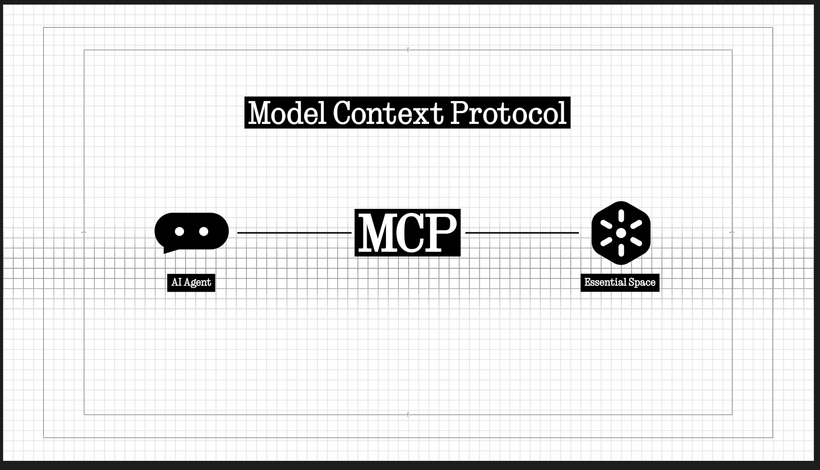
This is the part I keep coming back to. Essential Space is adding Model Context Protocol support, letting compatible AI platforms search and read selected information out of your capture store. It is read-only at launch, meaning supported tools cannot write to or modify what is in there, and it rolls out through Google Play in October rather than in the OS image itself.
A phone manufacturer shipping an MCP surface over a user’s personal capture store is a bigger deal than the one line it got in the announcement. Essential Space is where screenshots, voice notes, and Essential Key captures accumulate, which is to say it is a pile of your most context-rich, least structured personal data. Exposing that to external AI tools without a copy-paste round trip is the difference between an assistant that knows what you saved last Tuesday and one that does not. Read-only is the right first move, and I would have been much less relaxed about a write-enabled version arriving in a point release.
What Nothing has not detailed is the permission model. The announcement says selected information, which implies scoping, but nothing is public yet on how granular that scope is, how revocation works, or whether the consuming tool runs locally or in somebody’s cloud. Those answers matter more than any widget. The one encouraging signal is that Android 17’s new three-color privacy indicator lands in the same release, with green for sensitive access, blue for location sharing, and yellow specifically flagging AI data processing, so at least the platform now has a visible channel for telling you when something is reading your stuff.
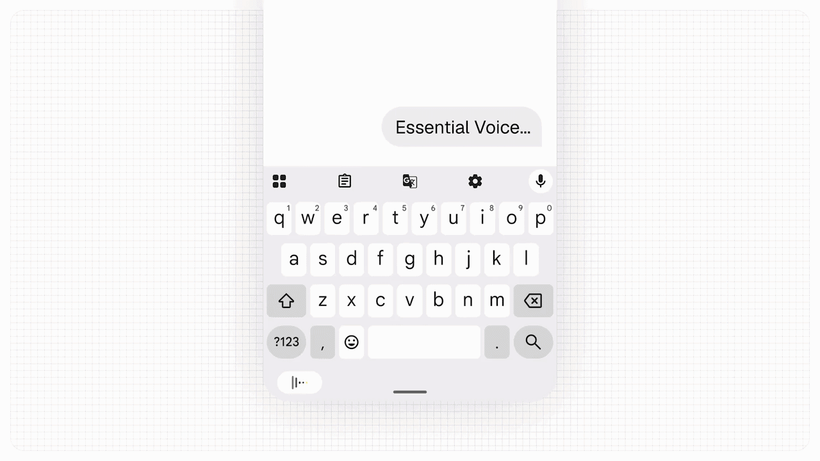
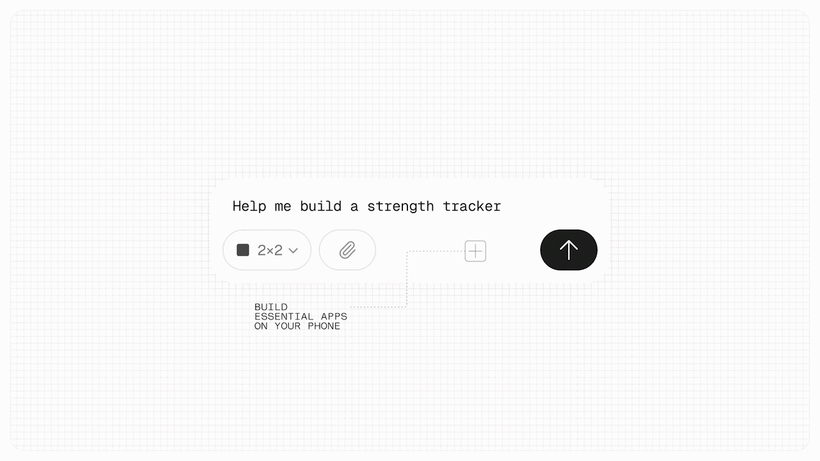
The rest of the Essential block is more conventional. Essential Voice gets faster and formats better, deciding when speech should stay a paragraph and when it should become a list, with real-time transcription that shows words as you speak and real-time translation promised later this year. It can also capture audio through the Ear (3) case using Super Mic, which continues Nothing’s habit of quietly making its audio ecosystem and its phone software depend on each other. Essential Space gains Smart Collections, which recommend captures for collections you create and proactively suggest new ones when it spots a recurring topic, and the Essential Key capture flow has been made consistent across the lock screen, the home screen and inside apps, which it demonstrably was not before. And Essential Apps Builder moves onto the phone as an app, so you can describe a tool in natural language, preview it, refine it, and drop it on your home screen without writing code. It is still beta with gradual access. I am not getting into the security surface of arbitrary AI-generated widgets living on a home screen with inherited permissions, because that deserves a full post rather than a paragraph buried in a feature roundup.
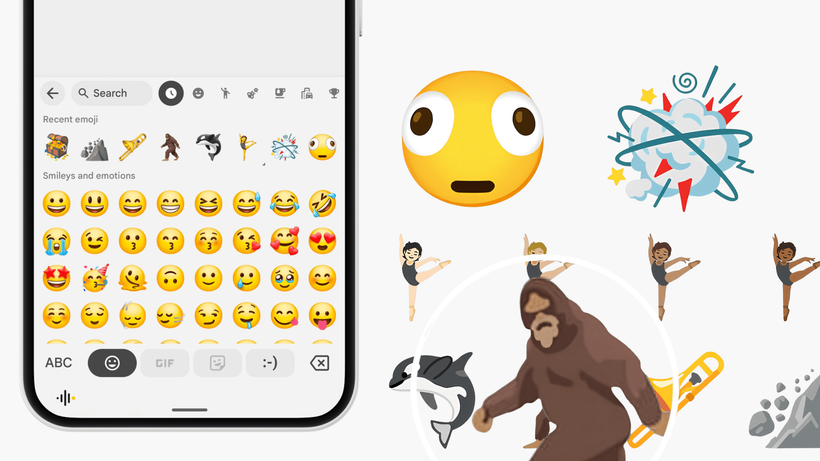
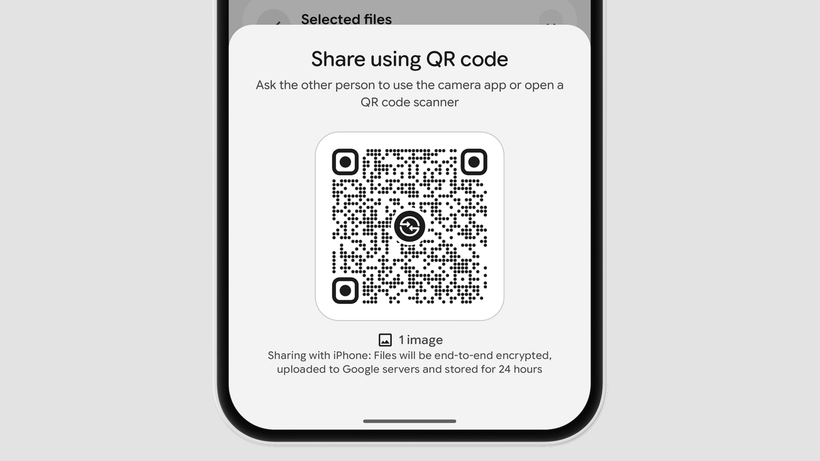
Android 17 itself contributes a decent haul underneath all of this. The headline is optional split panels: swipe down from the left for Notifications, from the right for Quick Settings, with the combined layout still available for anyone who does not want it. Carl Pei teased that one on X before the announcement. Enhanced Quick Share is the other genuinely useful one, generating a QR code that an iPhone camera can scan to open a secure web link and pull the files, no app required on either end, which is a workaround for a decade-old problem rather than a fix, but I will take it. Beyond that: Live Updates capsules in the status bar with up to two at once, an expanded Dark Theme you can control per app, a separate volume slider for assistants, Enhanced HDR brightness that boosts photo and video highlights without dragging the whole interface brighter, a pill-shaped menu on Recents cards, a floating capsule for screen recording controls, updated location permission prompts, and Noto 3D emoji with the latest Unicode batch including Orca, Trombone, Landslide and Treasure Chest.
Where this actually sits against Nothing OS 4.0
Start with the calendar, because that is where the flattering comparison lives. Android 17 reached Pixels on 16 June 2026. Nothing announced it today, opens the beta tomorrow, and targets mid-October for stable on Phone (3). Last year, Android 16 reached Pixels on 10 June 2025; Nothing OS 4.0 was announced on 17 September; the first open beta arrived on 1 October; and the stable build did not reach Phone (3) until 21 November. Both the beta and the stable release have moved roughly five weeks earlier in the calendar year over year.
Widen the frame and the story gets less impressive. Nothing OS 3.0 went stable on 18 December 2024, about nine weeks after Android 15 landed on Pixels on 15 October. Nothing OS 4.0 took roughly twenty-three weeks from the equivalent milestone. Nothing OS 5.0, if mid-October holds, will take about seventeen. That is a recovery from a bad year, not a record, and the tail has not moved at all: 4.0 finished with the Phone (3a) Lite at the beginning of January 2026, and 5.0 finishes with the CMF Phone 2 Pro in mid-January 2027. Seven months from AOSP to the last device, both times.
The beta itself is narrower than last year’s. Nothing OS 4.0’s first open beta covered four devices on day one, going out simultaneously to Phone (3), Phone (2), Phone (2a) and Phone (2a) Plus, with the 3a series following in late October. Nothing OS 5.0’s covers exactly one, and two eligible devices get no beta at all: the Phone (3a) Lite and the CMF Phone 2 Pro go straight to stable at the end of December and in mid-January respectively.
I read that as caution rather than weakness, and December is why. Nothing shipped 4.0 stable to Phone (3) on 21 November, expanded a week later to Phone (2), the 2a pair, and the 3a pair, and then the rollout went quiet. A support email a user posted to Reddit said the rollout had been temporarily halted and removed while an urgent fix was prepared. Nothing’s eventual statement was that it uses phased rollouts to catch optimizations, often related to third-party apps, and that such optimizations were identified on the Phone (2a) series, and that a fix went out on 1 December. In the meantime, owners reported memory leaks and performance regressions after a major platform update. Seeing the 2a series scheduled for a mid-October beta and mid-November stable this cycle, instead of shipping in the day-one wave, looks like a lesson someone actually wrote down.
The substance splits cleanly too. Nothing OS 4.0 was an additive release: Extra Dark Mode, redrawn Nothing app icons, updated status bar icons, two new lock screen clock faces, Pop-up View with two floating icons, 2×2 Quick Settings tiles, hidden apps in the drawer, scoped app drawer search, an AI usage dashboard for large-model activity, Glyph Progress riding Android 16’s Live Updates so third-party apps could drive the lights, plus Playground and Essential Apps in alpha and a camera pass with new presets, LUTs and watermarks. Every one of those is a feature bolted onto an existing system. Nothing OS 5.0 is making a structural claim instead: that a new design system was required rather than another set of themes, because the home screen now has to hold user-generated AI tools next to first-party apps and keep both legible together.
Whether that is a real architectural change or a font swap with unusually good copywriting is precisely what the October build will settle, and precisely what this beta cannot. One of the sharper responses on Nothing’s own forum today came from a user comparing a year of engineering output to one new font, some color customization and transparent widgets, and asking where the basic first-party apps are. It is an unfair reading of the release notes and a fair reading of the pace.
Three phones didn’t make it, and one new one is last in line
Phone (1), Phone (2) and CMF Phone 1 are out. The Phone (1) case was already closed: its final update was a July 2026 security patch on Android 15, delivering exactly the three OS upgrades and four years of patches it was sold with, and I wrote up what to do with one when that landed. CMF Phone 1 shipped in July 2024 on Android 14 with two OS upgrades and three years of patches promised, so Android 16 was always where it stopped.
The Phone (2) is the one that stings. It launched in July 2023 as Nothing’s flagship on Android 13, was promised three major upgrades and four years of security, and has now had all three. Owners on the community forum today are pointing out that they bought it new, as the current flagship, and lost major-version support within three years. Security patches continue into mid-2027. The promise was kept, and the promise was thin, and those two facts do not cancel each other out.
Against that, the Phone (3) carries five OS upgrades and seven years of security patches, and co-founder Akis Evangelidis said openly at launch that the Snapdragon 8s Gen 4 was what made 5+7 possible, where a Snapdragon 8 Gen 3 would have capped it at four and four. Silicon vendor support windows decide these numbers far more than corporate generosity does, which is a thread running straight through Nothing’s return to Qualcomm after the MediaTek experiment.
Then there is the Phone (4b), which is the strangest line in the whole schedule. It went on sale on 7 July 2026, running Nothing OS 4.1 on a Snapdragon 6 Gen 4, and it is dead last: beta in mid-December, stable in mid-January 2027. That is six months after it shipped, and two months behind a Phone (2a) from 2024. Nothing has not explained the ordering, and the obvious guess is a different silicon platform on its own branch rather than any deliberate ranking. With Evangelidis having said Nothing intends to launch roughly twice as many phones in 2027 as it did this year, a queue that already runs seven months is going to run longer, and the company has also just cancelled a product outright over memory pricing, so engineering time is not the only thing under pressure.
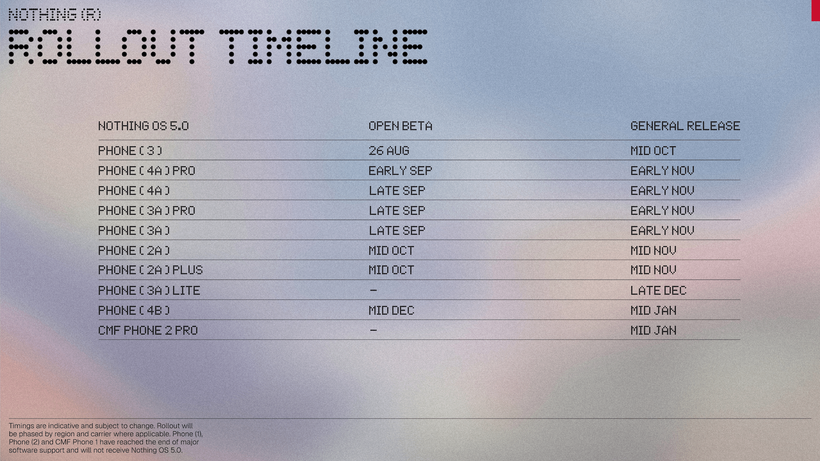
| Device | Open beta | Stable |
|---|---|---|
| Phone (3) | 26 August 2026 | Mid October 2026 |
| Phone (4a) Pro | Early September 2026 | Early November 2026 |
| Phone (4a) | Late September 2026 | Early November 2026 |
| Phone (3a) Pro | Late September 2026 | Early November 2026 |
| Phone (3a) | Late September 2026 | Early November 2026 |
| Phone (2a) Plus | Mid October 2026 | Mid November 2026 |
| Phone (2a) | Mid October 2026 | Mid November 2026 |
| Phone (3a) Lite | No beta | Late December 2026 |
| Phone (4b) | Mid December 2026 | Mid January 2027 |
| CMF Phone 2 Pro | No beta | Mid January 2027 |
Nothing closed its design post with a slogan: “One billion operating systems for one billion people.” It is a good line, and what actually ships tomorrow is a beta of the plumbing and a promise about the paint. I will take the frosted layer, the dedicated Glyph app, and read-only MCP over another set of themes any day, and I will be running the beta on my Phone (3) tomorrow morning regardless, because that is the kind of person I am.
The thing I actually want to know is not in this release at all. It is whether Nothing can push a stable build across ten devices without quietly pulling it back two weeks later. Nothing OS 4.0 could not. Ask me in December.
Additional photos and screenshots

Sources: Nothing Community, Nothing OS 5.0 new features explained and Nothing OS Evolution; Android Authority.