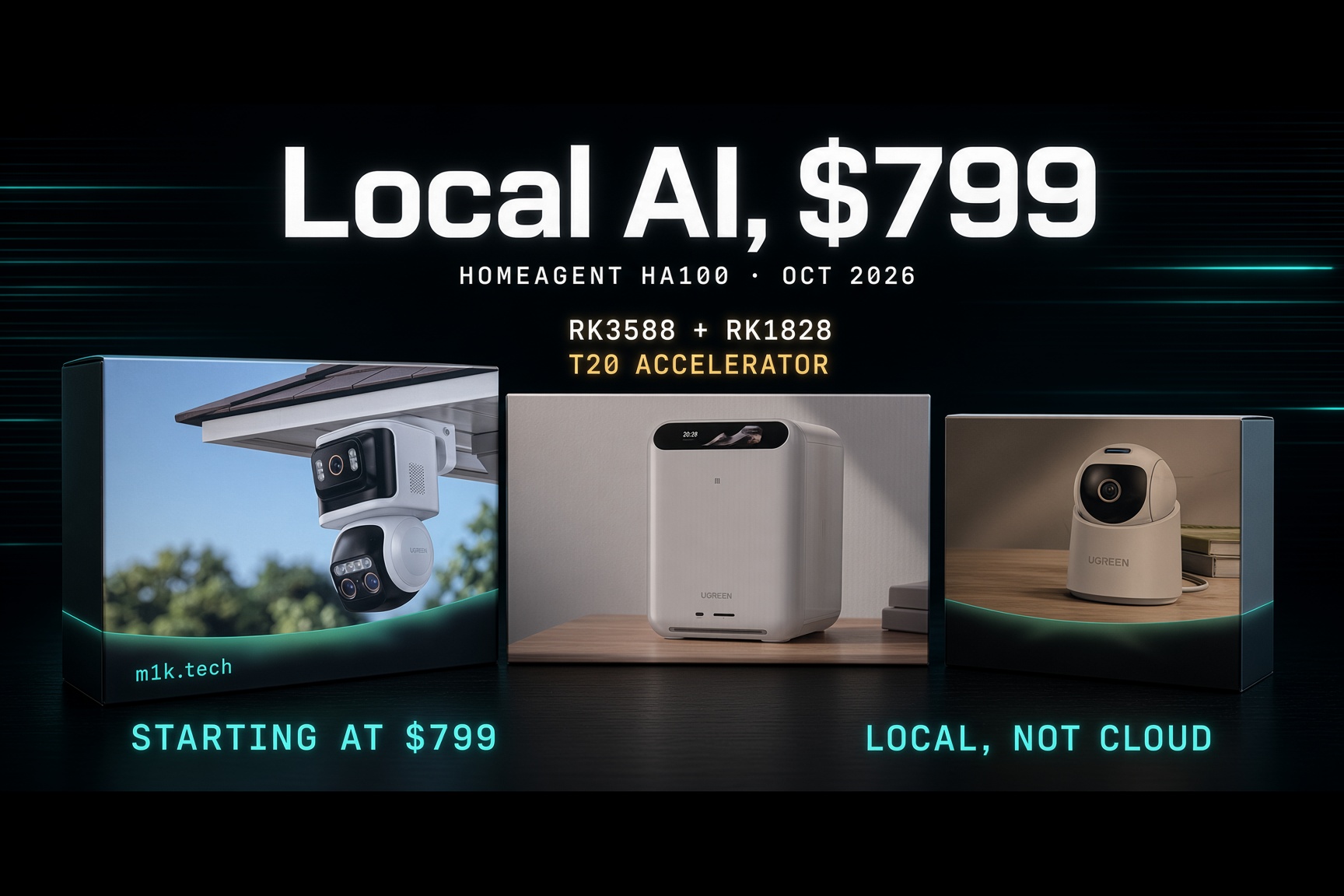
A UGREEN HomeAgent HA100 sits on my desk, next to a SynCare indoor cam, an outdoor PoE unit, and a beta app on my phone that still has no web interface. When I first wrote this up the price was blank, the chip was listed as undisclosed, and I was reading a spec sheet. Then the embargo lifted, the pre-order page went live, and the numbers turned out to be real. Now I’ve been through UGREEN’s own reviewer’s guide line by line, and it settles half a dozen things the coverage has been guessing at, including a few UGREEN probably wishes it had phrased differently. So this is the whole picture as I understand it today, before the hands-on review.
Start with the thing that made me pay attention in the first place. UGREEN’s flagship tier, the MasterAgent MA100, runs on NVIDIA’s Jetson Thor T5000, the same silicon NVIDIA built for humanoid robots and industrial edge AI, not living rooms. 2,070 FP4 sparse TFLOPS, 128GB of shared memory at 273GB/s, a 14-core Arm Neoverse-V3AE CPU, a module power envelope that runs from 40W to 130W. That’s a spec sheet for something that was supposed to walk. It costs $19,999 at list, which is its own kind of statement.
The HA100 matters because people will buy it, and it has almost nothing in common with the box above it beyond the industrial design and the software layer. Different CPU architecture, different accelerator, different memory model, different network. UGREEN ships three separate Arm platforms under one brand and one voice assistant, and the marketing flattens that into a single TOPS ladder. It shouldn’t.
What’s Actually Inside the HA100
The base HA100 runs on Rockchip’s RK3588, paired with a Rockchip RK1828 AI co-processor that ships as a removable cartridge UGREEN calls the T20 AI Accelerator Card, sitting in its own PCIe slot next to the drive bays. Two separate pieces of silicon do two separate jobs, and once you understand what each one does best, the whole product makes more sense. I like this configuration because, who knows, you could update the dedicated AI Rack to a better one in the future. In Ugreen software, the driver is separate and needs to be downloaded, so improvements can be pushed over time.
The RK3588 is Rockchip’s flagship general-purpose SoC: an 8nm part with four Cortex-A76 cores clocked around 2.4GHz for the heavy lifting, four Cortex-A55 cores at 1.8GHz for everything else, an Arm Mali-G610 MC4 GPU, and a triple-core NPU rated at 6 TOPS across INT4 through TF32. This isn’t exotic silicon. It’s the same chip powering a huge chunk of the ARM single-board-computer world right now: Radxa’s Rock 5B, Orange Pi 5, and half the AI camera NVR boxes on AliExpress. It handles 8K video decode, ISP for camera feeds, and real-time inference on the vision models HomeAgent needs for person, vehicle, pet, and package recognition. Rockchip has been shipping it in volume since 2022.
UGREEN pairs that with 16GB of LPDDR5 system RAM, soldered, non-expandable, plus 64GB of eMMC for the OS. 16 GB is generous compared with most consumer NAS boxes, which ship 4 to 8GB and expect you to add a SO-DIMM. It’s also the hard ceiling on this platform forever, which is worth sitting with for a second given that everything UGREEN wants this box to do at once- storage stack, multi-camera decode, vision inference, photo indexing- is competing for the same pool. Soldered 16GB reads differently in a year when Qualcomm is advertising an NPU built to need less RAM rather than more, and nobody is shipping cheap memory to anyone.
The RK1828 is the newer, weirder part, and it explains the voice pitch. Rockchip only started mass-producing it in 2026. It’s a dedicated AI co-processor rather than a general SoC, built for running language and vision-language models at the edge, and its design philosophy is nothing like the RK3588’s NPU. Rockchip and GigaDevice co-developed a custom 3D-stacked DRAM package for it, stacking memory directly on the compute die and connecting the two with tens of thousands of through-silicon vias instead of routing over a shared system bus. That buys a theoretical memory bandwidth approaching 1TB/s on a chip drawing around 5 watts with no fan. The RK1828 carries 5GB of that stacked memory on-package, sized for 7-billion-parameter class models; the smaller RK1820 gets 2.5GB and targets 3B models. However, nothing forbids a new expansion board with a dedicated NPU and soldered-on memory, dedicated to this part, and unloading the LLM on it too. I really hope we’ll have this option in the future.
Here’s the part that made this click for me. Independent dev-kit benchmarks show the RK1828 is bad at what the RK3588’s NPU does well. Run YOLOv5s or ResNet50 on it, and you get no benefit over using the 6 TOPS block you already have. Flip to language models, and the gap reverses hard. A 4-bit quantized Qwen2.5-7B runs around 52 tokens per second on the RK1828 with a time-to-first-token under 350 milliseconds, and 3B-class models push past 100 tokens/s. That’s roughly 8 to 10 times what the RK3588’s NPU manages on the same class of model, because the NPU chokes on memory bandwidth long before it runs out of raw compute. This is a chip built to solve one problem, feeding a language model fast enough that a voice assistant doesn’t feel like it’s thinking, and it’s deliberately useless at everything else.
Put the two together, and you get a real division of labor and two separate memory pools. The RK3588 handles camera ingestion, the video pipeline, and vision inference to tell my dog apart from a delivery driver, using that 16GB. The T20 card does nothing but LLM inference for Uliya, using its own 5GB that never touches the system pool or fights the rest of the box for RAM. On paper, that’s 6 plus 20 for the advertised 26 TOPS. It’s a sum across two dissimilar engines, quoted as if it were one figure, and I don’t know yet how the software actually schedules work across them when four cameras are recording.
The AI slot is a single PCIe 3.0 x2 link that, in UGREEN’s own words, “does not support other external devices,” so it’s a proprietary cartridge bay rather than an expansion slot. I guess if you want a 3rd party to use this expansion, they will need to push a dedicated package for the OS to use it properly.
UGREEN’s installation note is unambiguous: the 2280 NVMe slot “is dedicated to AI model storage and acceleration. I don’t have one spare right now to check if it is being used as a general-purpose storage expansion slot.” One PCIe 3.0 lane on the underside; thermal tape required (included in the box as an accessory). Fitting it means flipping the unit over, which is not a five-minute job but a dozen seconds, and it is easy to access. You also need two drives minimum before the box will initialize at all: one in a bay marked S1 or S2 for NAS data and one in S3 for surveillance, none included, and buying spinning rust in the middle of the same memory and storage price climb that added $100 to every Samsung foldable means the real entry cost lands several hundred dollars north of the sticker. In my configuration, I had two HDDs provided, and I use one of mine for the Surveillance slot (S3). Let’s go for using H24 recording functionality.
The rest of the hardware is mostly sensible and occasionally annoying. One 2.5GbE uplink carries everything: NAS traffic, remote viewing, camera egress. Four PoE ports on the back feed cameras directly, 802.3af/at, but they run at 10/100Mbps only and share a 65W total power budget, which is fine for two or three streams and a real ceiling with four 4K cameras plus substreams. PoE is a great addition, since I don’t need to plug an AC adapter into the outdoor camera, and it also reduces cable clutter. The brick is 19V at 8.47A. It has HDMI 2.0 at 4K60, one USB-C and two USB-A at 5Gbps, an SD 3.0 reader rated for about 104MB/s, NFC, a four-mic omnidirectional array, stereo 2.5W speakers (loud enough for the Agent voice), and three separately named fans for the CPU, system, and compute card. Thread 1.4, Zigbee 3.0, Bluetooth 6.0 for device provisioning, and 5.3 for speakers. The chassis is 192 by 218 by 251mm and rated 0 to 40 degrees C, so a hot closet is out. The front display is a real control surface rather than a clock: swipe across to access system and alarm volume, brightness, screen-off timer, wallpaper, language, restart, and shutdown, all without opening the app.
Storage is a 2+1 arrangement, two general NAS bays plus one bay reserved purely for surveillance recordings, so camera footage never eats into the file share. The trays use the same tool-free design UGREEN uses across the NASync line, color-coded and labeled by function, with a push-button lock and a small key. 3.5-inch drives clip in without a screwdriver; 2.5-inch drives need one plus a repositioned pin. Honestly, setup was a breeze. I really liked it.
UGOS Pro is the actual product
Every feature on this box arrives through UGOS Pro, UGREEN’s in-house Linux-based operating system, the same one running the NASync line. That’s the part the launch coverage skipped, and UGREEN asked reviewers directly to introduce it before diving into features, which tells you they know the hardware story has been eating the software story. It’s a fair ask. The HA100 is a NAS operating system that grew a surveillance stack, a smart-home controller, and a voice assistant, and if UGOS Pro is weak, then none of the silicon above matters. You still have to download updates, packages, and system files, and you’ll need at least one reboot, but in my case it was under 5 min, depending on your internet speed.
The NAS half is the mature half, because it’s inherited. Files for browsing and sharing, Storage for pools and volumes, Sync & Backup, a security layer, an App Center that installs everything else, and the media apps: Photos with AI categorization and duplicate detection, Music, Theater, Comics, plus DLNA, Cloud Drives, Online Office, TextEdit and a Task Manager. Anyone who has used a Synology DSM box will recognize its shape immediately, which is both a compliment and a criticism. What’s new for HomeAgent sits alongside that: Surveillance Center, a Smart Home module, Uliya, Model Management, and the T20 AI Accelerator Card Toolkit (essentially Drivers, it seems).
On the beta builds every reviewer is running, including mine, that whole thing is mobile-only. UGREEN’s own getting-started text says it plainly: “Based on the UGOS Pro system, the HA100 is only available for mobile end client currently. We offer iOS client and Android client.” Phone, hub, and cameras all have to sit on the same LAN to do anything. Amusingly, the UGOS Pro marketing graphic in the same document shows Windows, macOS, iOS, Android, and Web icons in a row. One of those is not currently true, and it’s in UGREEN’s own deck. You need the dedicated Surveillance App to set up the cameras. When done, they will appear on the Common tab as quick access, including HomeAgent. I would prefer to skip the back-and-forth, add the camera directly to the dedicated tab, and use the Surveillance app for dedicated settings or take over.
Sync & Backup on this build only does mobile backup, so the rsync and server-backup jobs that work on a DH4300 Plus aren’t here yet. AI is off until you turn it on: you install the T20 toolkit and Model Management from the App Center, reboot, then pull down models from a list covering large language models, people recognition, text recognition in images, similar and duplicate photo detection, image and scene recognition, voice chat, face recognition, and general object detection. Each one is individually toggleable, with a separate App Authorization tab controlling which apps can use which model. That’s a better privacy surface than a single global AI switch, and it’s the kind of thing nobody puts on a box. You can still connect your Cloud AI via your API key, so far ChatGPT, Deepseek, Qwen, but no Gemini or Claude for now. Same, it’s only software, so I guess we can deploy it later through updates.
Docker is also available on the HomeAgent, and that’s a good thing.
Surveillance Center, in detail
This is the most finished part of the box, and it’s why I’d consider retiring a standalone NVR. ONVIF discovery found third-party cameras across brands without trouble, H.265 works where it didn’t on older UGREEN boxes, and you can pull individual channels off an existing NVR as live feeds. It isn’t plug and play in every case: at least one popular dual-lens PoE camera authenticates over ONVIF only if you’ve already set credentials on the camera itself, and the fallback is configuring its RTSP stream by hand in advanced settings. UGREEN cameras are the easy path: discover them over Bluetooth and LAN and bind them in seconds, with the OD600 Pro coming up (almost) instantly when you plug it into a PoE port (Still need to attach the camera to your account).
Per camera, you set a storage location, a retention period, a capacity limit, an event-type filter, and a location label, and that location label matters more than it looks, because it’s what Uliya matches against when you ask which room the dog is in. Detection zones are drawn as polygons by adding and removing vertices over the live image, with three modes you can mix: in-zone detection, zone entry, and zone exit. The alert taxonomy is unusually granular for this price, covering scene change, people, face, pet, package, vehicle, zone entry, zone exit, fire, camera error, camera obstruction and camera movement, each individually toggleable rather than one blunt motion alert. Sound detection adds crying and coughing as separate triggers.
Face recognition can enroll faces in two ways: automatically from camera events or by manually uploading photos, and once a face is named, event descriptions start using that name. Enabling it brings up a consent screen that explains local processing, the encrypted relay used for remote viewing, and that facial recognition law varies by region, with a delete-my-data option. Most camera brands bury that behind a toggle. Credit where it’s due. There’s also a Highlight Moments feature that trawls long-term recordings and auto-generates short compilation videos of family gatherings, pet antics, and birthdays, which is either charming or unsettling, depending on how you feel about an always-on camera deciding what parts of your life are memorable.
Pet detection only recognizes cats and dogs at all, then collapses both into a single “Pet” class, so a rabbit is nothing and a cat is a dog. Action recognition only knows appearance and departure, with running, dancing, and anything else explicitly out of scope. The AI event descriptions are real and readable, things like a person in a blue jacket near a doorway, but the search over them is keyword matching against those generated captions, with deep semantic understanding listed as unsupported, so typing a loose description of what you remember seeing will not find it.
The one that stings most for anyone planning to bring their own cameras: baby-cry detection is marked “third-party IPCs not supported.” Sound detection is a UGREEN-camera-only feature. So the ONVIF openness that makes this attractive as an NVR replacement buys you video and motion analytics, and quietly drops you out of a chunk of the AI feature set the box is sold on. I don’t have a baby, so I won’t be able to try this one, or maybe I should trick it by using a loop video of one on my tablet in front of the camera.
The feature calendar UGREEN handed to press
So far, it was the testing schedule. As usual, it can change, evolve, and be updated depending on our feedback. UGreen is clearly invested and is trying to deliver the best product to end users.
| Feature | Date UGREEN gave press | Stated limit |
|---|---|---|
| Voice control of smart-home devices | August 30 | Direct commands only, no semantic intent; lights, sensors, switches, curtains only |
| Voice queries on live status and event history | Available now | Must follow Hi Uliya + time + location + object + action |
| Custom whole-home mode | August 31 | Same four device classes |
| Universal compatibility (Matter) | August 31 | Official compatibility list governs, not the standard |
| Cross-space control via speaker or camera | September 30 | UGREEN speakers only, no third-party speakers |
| Gallery photo and album upload | After September 30 | |
| Away mode | October 30 | Same four device classes |
| Stranger-lingering detection | After October 30 | |
| Voice notifications (baby crying, package arrival) | October 31 | Those two events only |
| Famous art mode and Photo Memories on the frame | By end of December | |
| Highlight Moments | Mass-production version |
Four device classes is the number that jumps out. First-phase voice control reaches lights, switches, sensors, and curtains, which means the thermostat, the lock, the vacuum, and the blinds motor you were picturing are not in scope at launch, regardless of whether they speak Matter. And the semantic limit is stated outright: the system “can only recognize direct voice commands and cannot deeply understand semantic meaning,” with “I’m too hot” and “the lighting is too dim” given as examples of what it will fail on. That’s the HA100 Pro’s differentiator, and UGREEN is saying so in writing.
The Zigbee radios, and the Home Assistant question nobody at UGREEN has answered
I got this wrong in the first version of this post and want to correct it properly. I wrote that HomeAgent doesn’t appear to carry a native Zigbee radio. It does. The hardware spec sheet lists both Zigbee 3.0 and Thread 1.4. What the reviewer’s guide adds is stranger than dormant silicon: UGREEN’s FAQ describes the architecture in present tense, saying the Matter module “works as a Matter controller” and that “if it’s about Zigbee bridging, Zigbee won’t go through the Matter module; it can directly connect to the Zigbee module.” Asked whether HomeAgent works with all Matter and Zigbee devices, they answer, “in theory, it can,” then pivot to the official compatibility list. So the company describes a working Zigbee path, but every review unit ships with Matter over Wi-Fi and nothing else, and the document includes no date. Either the module is live and undocumented, or the FAQ is describing a design rather than a build. I lean hard toward the second, and I’ll start with a Zigbee bulb in my hand. So far I got a Yeelight one over LAN, and I couldn’t connect it. I may have seen a Matter configuration over Bluetooth with the last update too. I need to circle back to that, but again, it’s early stage: the hardware is present, so the rest is just software.
Until then, the bridge workaround is the real answer for early buyers. Pair a Homey Pro, an Aqara hub, a SmartThings controller, anything that exposes its devices as a Matter bridge, and your Z-Wave and Zigbee gear shows up inside HomeAgent that way. I saw that’s how one reviewer got Nanoleaf and Govee kit in. It works, it’s ugly, and it makes your experience depend entirely on which bridge you already own rather than on the HA100 itself. Matter interop across brands has been messy industry-wide since the standard launched, and nothing here fixes that. You will need to inventory your AIoT first and check the compatibility list periodically. But it makes sense that, at first, all the best-selling products sold in retail or on Amazon will be supported.
UGREEN handed the press a compatibility spreadsheet listing 55 third-party products from 18 brands: bulbs, wall switches, plugs, environmental sensors, motion detectors, thermostats, curtains, shades, gateways. The file is titled “Home Assistant Compatible Devices.” Nothing in it explains whether those products reach Home Assistant directly, through Matter, through a manufacturer hub, or through an embedded Home Assistant integration. Wait and See.
For anyone already running Home Assistant and wondering about the reverse direction, community integrations poll the built-in UGOS API to surface NAS telemetry as sensors, with no SSH or OS modification required. Neither has been validated against an HA100, which has a different SoC, a different app set, and no web GUI on this build. Whether the surveillance side exposes anything reusable- an RTSP restream, ONVIF out, or a webhook- so those cameras can appear in an existing Home Assistant install, but you still have the option to add a 3rd-party camera via this option in the Ugreen Surveillance app. I need to flash my Xiaomi Camera with open-source firmware to get it working on my side. It could be a fun side gig and check compatibility with it.
Uliya
Uliya ties it all together and runs Qwen3.5 locally on the T20 card, with an option to route to cloud models instead, switchable by the user. UGREEN confirms more LLMs are planned. Ten UI languages. The wake phrase is “Hi Uliya” or “Hey Uliya” in English and German, 嘿,小优 in Mandarin, and UGREEN sets the optimum pickup distance at five meters, which is optimistic in a real kitchen with a dishwasher running. But so far it’s working well, even with my thick accent. Not all functionalities are active on my side yet.
In the current version, Uliya processes natural language on-device and “does not automatically search the Internet when it cannot answer a request.” So the failure mode is a shrug rather than a silent cloud call, which is the honest behavior, and future hybrid on-device plus cloud features are flagged as user-selectable, with timing to be confirmed. I tried to get the weather or the news of the day; it didn’t work.
Uliya ships in North America, Europe, Australia, New Zealand, Singapore, Japan, and Malaysia. One detail that will disappoint existing customers: smart-home control is HA-series only. iDX NASync owners get Uliya, SkillHub, and the developer platform, and no home control at all.
Where “local” stops
The pitch stripped of launch-event language: local storage, local compute, local Matter control, one box, no monthly fee. Account registration and authentication, server-time sync, remote access, software updates, diagnostic logs, and telemetry all want an internet connection. If you enable text and thumbnail notifications, event snapshots or thumbnails get uploaded to UGREEN’s cloud for message delivery. Not the footage, but the frame that shows what happened, which, for many people, matters most.
The concrete tell is the notification behavior, and UGREEN documents it precisely. Pull the WAN and keep the LAN, and cameras keep recording, event analysis keeps running, and you can view everything in Surveillance Center from a phone on the same network. But if the UGREEN NAS app isn’t alive in the background, events cannot reach your phone’s system notification tray. Take the phone off the LAN, and you get nothing at all: no notifications, no live view, no remote control, no uploads. And if there’s no Ethernet link whatsoever, their own words: “nothing can be done.” For a security product, that’s a meaningful downgrade rather than a footnote. Remote access attempts an encrypted peer-to-peer connection before falling back to UGREEN’s own relay. On encryption, they point to the iDX series approach, with RTSP over TLS for bundled cameras and frames and TLS for bundled speakers, and say outright that third-party device encryption is beyond their control. HomeAgent is local-first, not local-only, and I’ll push back hard on anyone marketing it as fully offline.
I keep coming back to the timing, because this isn’t happening in a vacuum. Amazon spent 2025 and 2026 moving in the opposite direction. Echo devices used to offer a “Do Not Send Voice Recordings” toggle that kept basic commands local; that died in March 2025, and by this July Amazon’s own hardware chief was confirming why on camera: the AZ3 chip handles wake word and sensor fusion on-device, but Alexa+’s language model has to phone home. That’s not a settings choice; it’s a silicon constraint. Google’s Gemini for Home isn’t fully local either. Sonos went further in the other direction again and shipped a protocol that wires ChatGPT or Gemini straight into your speakers, betting the cloud model is the product. UGREEN is walking into that with the opposite bet, at $899, on 26 summed TOPS.
The three tiers, with real prices attached
| HA100 | HA100 Pro | MasterAgent MA100 | |
|---|---|---|---|
| Chip | Rockchip RK3588 + RK1828 (T20 card) | CIX P1 CP8180 + LQ50 NPU | NVIDIA Jetson Thor T5000 |
| CPU | 8 cores, 4x A76 + 4x A55, Armv8.2-A | 12 cores, Armv9.2-A | 14x Neoverse-V3AE |
| AI compute (as advertised) | 26 TOPS combined (6 NPU + 20 card) | 205 TOPS combined | Up to 2,070 FP4 sparse TFLOPS |
| Memory | 16GB LPDDR5 + 5GB dedicated on the card | 32GB LPDDR5 | 128GB LPDDR5X unified, 273GB/s |
| System drive | 64GB eMMC | 128GB M.2 NVMe | 256GB NVMe |
| Bays | 3x SATA (2 NAS + 1 NVR) | 3x SATA (2 NAS + 1 NVR) | 4x SATA (3 NAS + 1 NVR) |
| User M.2 | 1x PCIe 3.0, AI models only | 1x PCIe 4.0 x4, models and data | 2x PCIe 3.0 x4 |
| Network | 2.5GbE + 4x 10/100 PoE | 10GbE + 4x 10/100 PoE | 10GbE + 4x Gigabit PoE |
| Voice interaction | Executes explicit commands | Explicit commands plus rule creation by voice | Open Skills Hub |
| Recognition | Categorical objects | Objects plus motion and behaviour intent | Not detailed |
| Zigbee / Thread | In the spec sheet, not working on review units | Same | Same |
| Price (early / MSRP) | $899 / $1,799 New Price: $799 | $2,999 / $5,999 New Price: $2699 | $9,999 / $19,999 |
That last row finally has numbers in it, and they’re steeper than I expected. A refundable deposit locks the $899 Super Early Bird tier through October 26, at 50 percent off across all three hubs. From October 27, the Kickstarter runs at $1,079, still 40 percent off but $180 more than the deposit route, so the two discount windows aren’t interchangeable, and the marketing does a poor job of saying so. Accessories hold the same price in both windows: $89 for the ID500 Pro indoor cam against $149 list, $159 for the OD600 Pro PoE cam against $269, $199 for the OD800 Pro solar unit against $339, $69 for the speaker, $299 for the e-paper frame against $439. Shipping is estimated for late January 2027 for the HA100 and the two main cameras; the battery camera, speaker, frame, and HA100 Pro ship in late April; and the MA100 ships in late July. Crowdfunding runs across North America, most of the EU and UK, plus Australia and Singapore. Two-year warranty. And this is a crowdfunding pledge rather than a retail order, which means dates, features and specs can all move, no matter how many NAS campaigns UGREEN has delivered before.
Edit: New pricing and perks
Updated prices (Super Early Bird, with a deposit)
| Product | Super Early Bird | New MSRP | Previously |
|---|---|---|---|
| HA100 | $799 | $1,599 | $899 / $1,799 |
| HA100 Pro | $2,699 | $5,399 | $2,999 / $5,999 |
| MA100 | $9,999 | $19,999 | Unchanged |
| ID500 Pro | $89 | $149 | Unchanged |
| OD600 Pro | $159 | $269 | Unchanged |
| OD800 Pro | $199 | $339 | $399 MSRP |
| Gallery E-Paper Frame | $299 | $439 | Unchanged |
| Gallery LCD Frame (new) | $139 | $199 | New to the lineup |
| Smart Speaker for Uliya | $69 | $99 | Unchanged |
Deposits and perks
- Deposit amounts: $50 for the HA100 or HA100 Pro, $200 for the MA100. Deposits are refundable any time before the campaign ends. The campaign runs until 11:59 PM PT on November 16.
- Free gifts: HA100 and HA100 Pro backers get one ID500 Pro camera. MA100 backers get four new 8TB hard drives. The gifts ship separately from the main unit. To qualify, use the same email address on Kickstarter as on the deposit.
- Other deposit benefits: a price-lock guarantee and priority fulfillment. UGREEN also says it covers standard shipping, duties, and customs for backers.
- Add-ons: cameras, frames, and the speaker are available only as Kickstarter add-ons, and the Super Early Bird discount does not apply to them.
- Pledge limit: one pledge per Kickstarter account.
Shipping is now staggered
- Late February 2027: HA100, OD600 Pro, ID500 Pro
- Late April 2027: HA100 Pro, OD800 Pro, E-Paper Frame, Speaker
- Late July 2027: MA100, LCD Frame
Sources: